
Content Not Translating
New content isn’t translated
Section titled “New content isn’t translated”New pages and posts appear in the Sitemap automatically. To translate them:
- With Auto Translate on for the whole site, new content is translated automatically and kept in sync as you edit.
- Otherwise, turn on Auto Translate for the page, or open it in the Visual Editor and hit Translate page.
If a content type is missing entirely, enable it under Settings → General → Sitemap Content Settings.
Specific text stays in the original language
Section titled “Specific text stays in the original language”- It only appears after an interaction. Text that JavaScript reveals after a click (a popup, a tab, a live-chat widget) is captured once it’s visible — open the page in the Visual Editor, trigger the interaction, then translate the strings that appear.
- It’s excluded. A CSS selector in Settings → Advanced → Exclusions may be
skipping it (the default
.notranslatedoes this on purpose). - It was edited by hand. Manual translations always win and aren’t overwritten — if a string looks wrong, fix it directly in the editor.
- Member-only content. Text only logged-in users see needs the right role under Settings → Advanced → Word Detection → View Pages As.
The page is behind a login (HTTP Basic Auth)
Section titled “The page is behind a login (HTTP Basic Auth)”If a page sits behind HTTP Basic Authentication — common on staging sites and password-protected environments — Omnalingo can only partially read it. On the Sitemap you’ll see a ⚠ warning beside the word count; hovering it reads “Only partially counted — a site login (HTTP password) blocked a full read. Click to add credentials.”
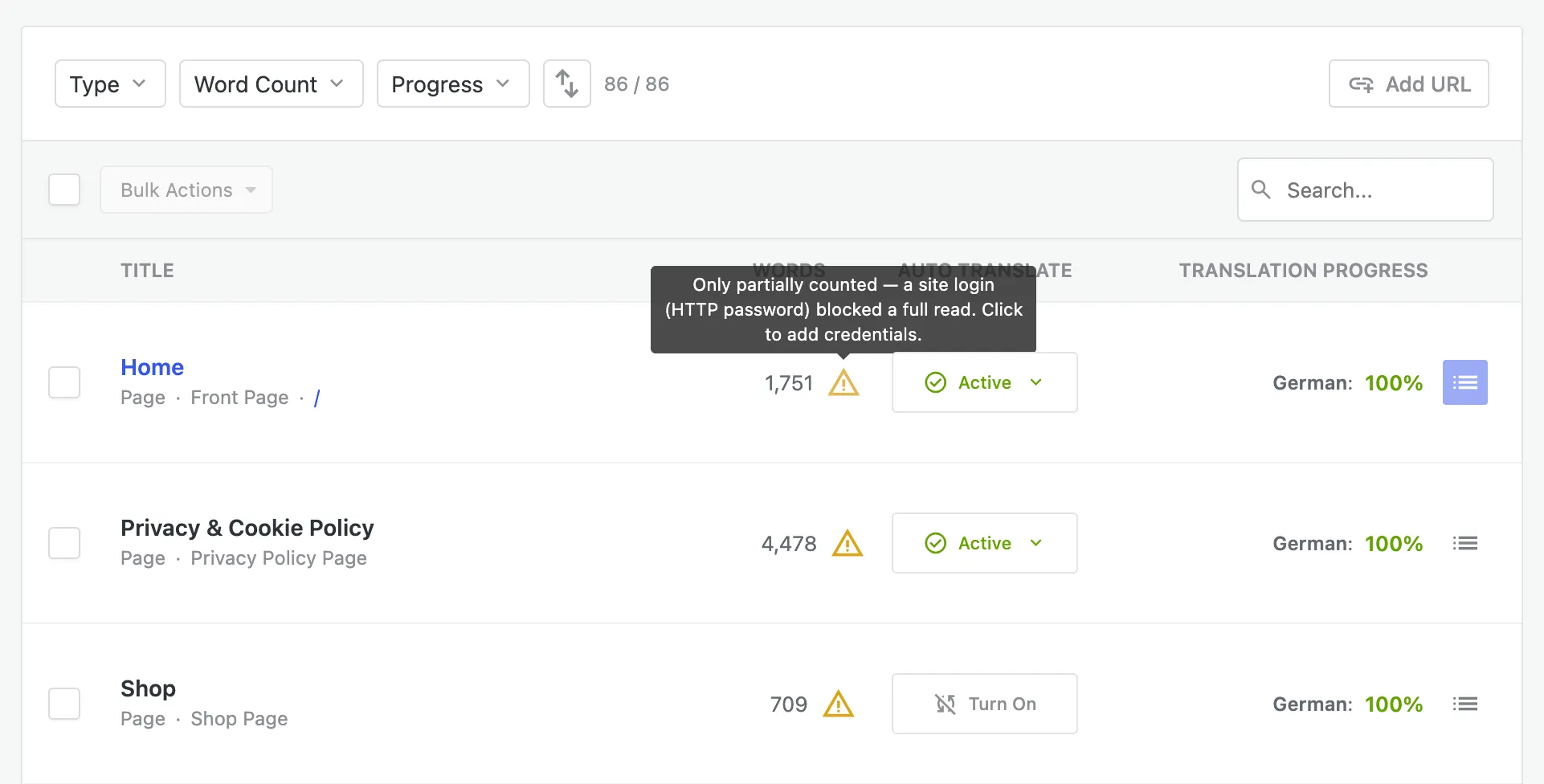
Click the warning (or the affected page) and Omnalingo opens the HTTP Basic Authentication dialog. Enter the username and password your host or admin gave you and choose Save & retry — Omnalingo re-reads the page with the credentials so the full content is counted and translated. If the protected area hides nothing you need translated, you can instead choose Try without credentials.
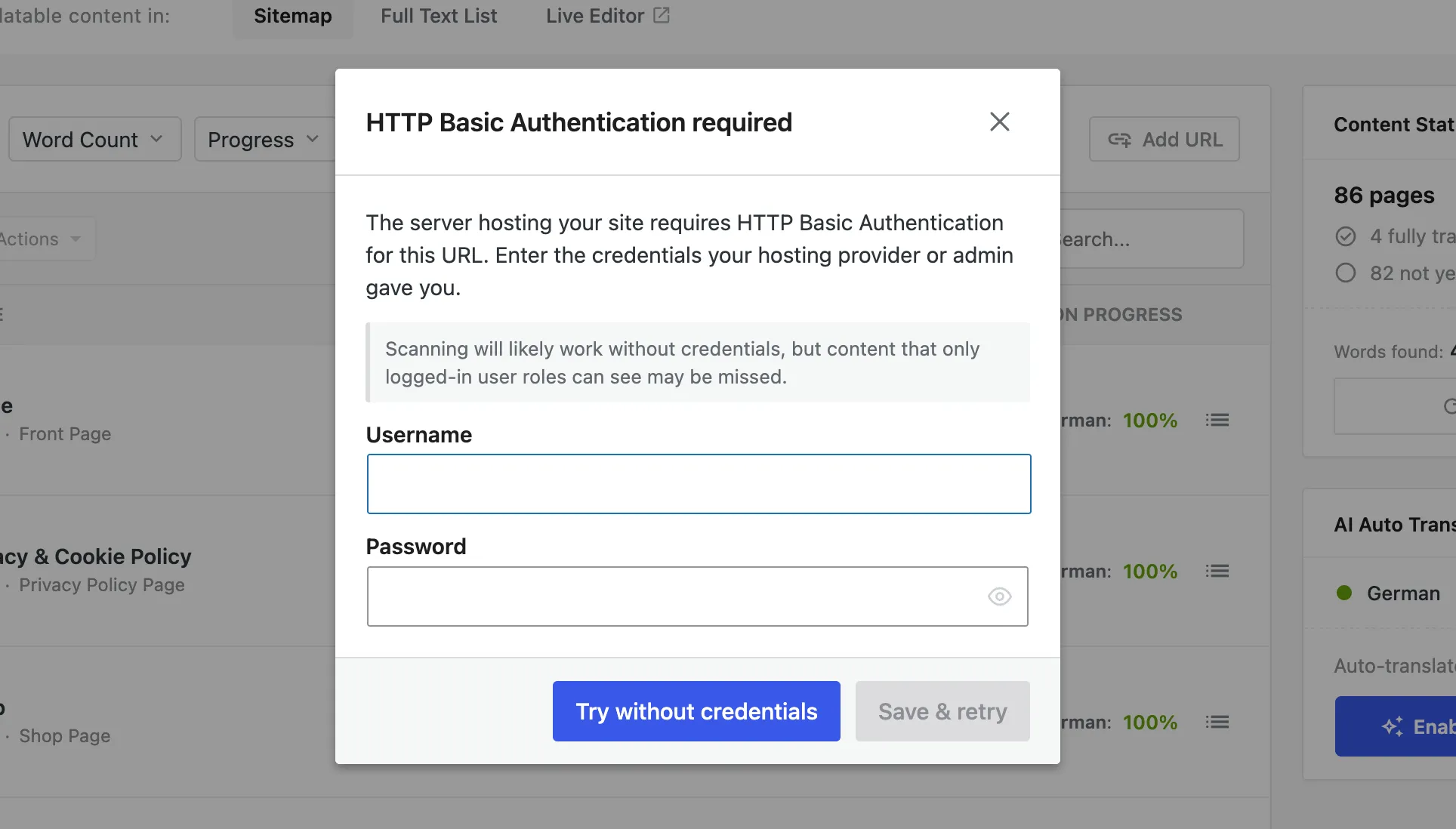
Credentials you save are stored under Settings → Advanced → HTTP Basic Auth, where you can update or remove them later. See also Excluding Content.
Nothing translates at all
Section titled “Nothing translates at all”- Check your key. Settings → License should show a connected plan.
- Trial word limit. A connected key includes a one-time 2,000-word AI trial. Once it’s used up, AI pauses — translate by hand, or activate the language on the AI Translation Service. See Manual vs. AI Translation.
- Server connectivity. If AI translation consistently fails, your server may be blocked from making outbound HTTPS requests, or a security layer is interfering — the Debugging tab log will show the errors.