
Translated URLs & Slugs
Every translated page gets its own clean, indexable URL. Here’s how they’re structured — and how to give each language a native slug.
How translated URLs work
Section titled “How translated URLs work”Omnalingo adds a language prefix to the front of the URL. Your original pages stay exactly where they are; translated versions live at prefixed URLs:
| Language | URL |
|---|---|
| English (original) | yoursite.com/about/ |
| French | yoursite.com/fr/about/ |
| German | yoursite.com/de/about/ |
No duplicate pages are created in WordPress. When a visitor requests /fr/about/,
Omnalingo strips the /fr/ prefix so WordPress finds the right page, renders it, and
swaps the text for the French translation before sending the HTML.
Translating the slug
Section titled “Translating the slug”By default the translated URL keeps the original slug (/fr/about/). You can translate
the slug itself, so French visitors get /fr/a-propos/.
This helps SEO: search engines read URL path segments as relevance signals, so a slug in the page’s actual language shows the page genuinely serves that audience — not just an English URL with a prefix. It also reads as more trustworthy to native speakers.
-
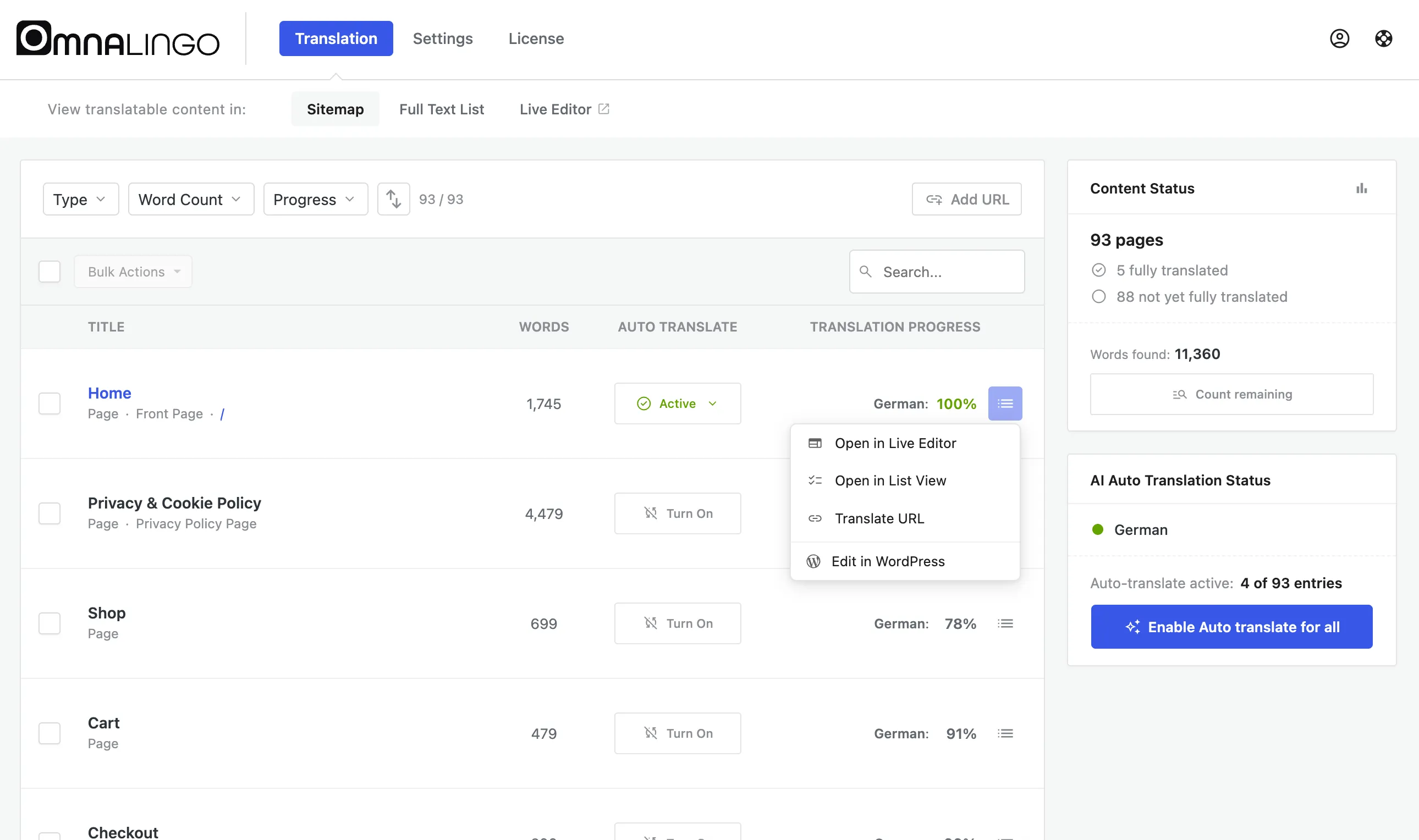
On Omnalingo → Translation → Sitemap, open a page’s ⋯ actions menu and choose Translate URL.
-
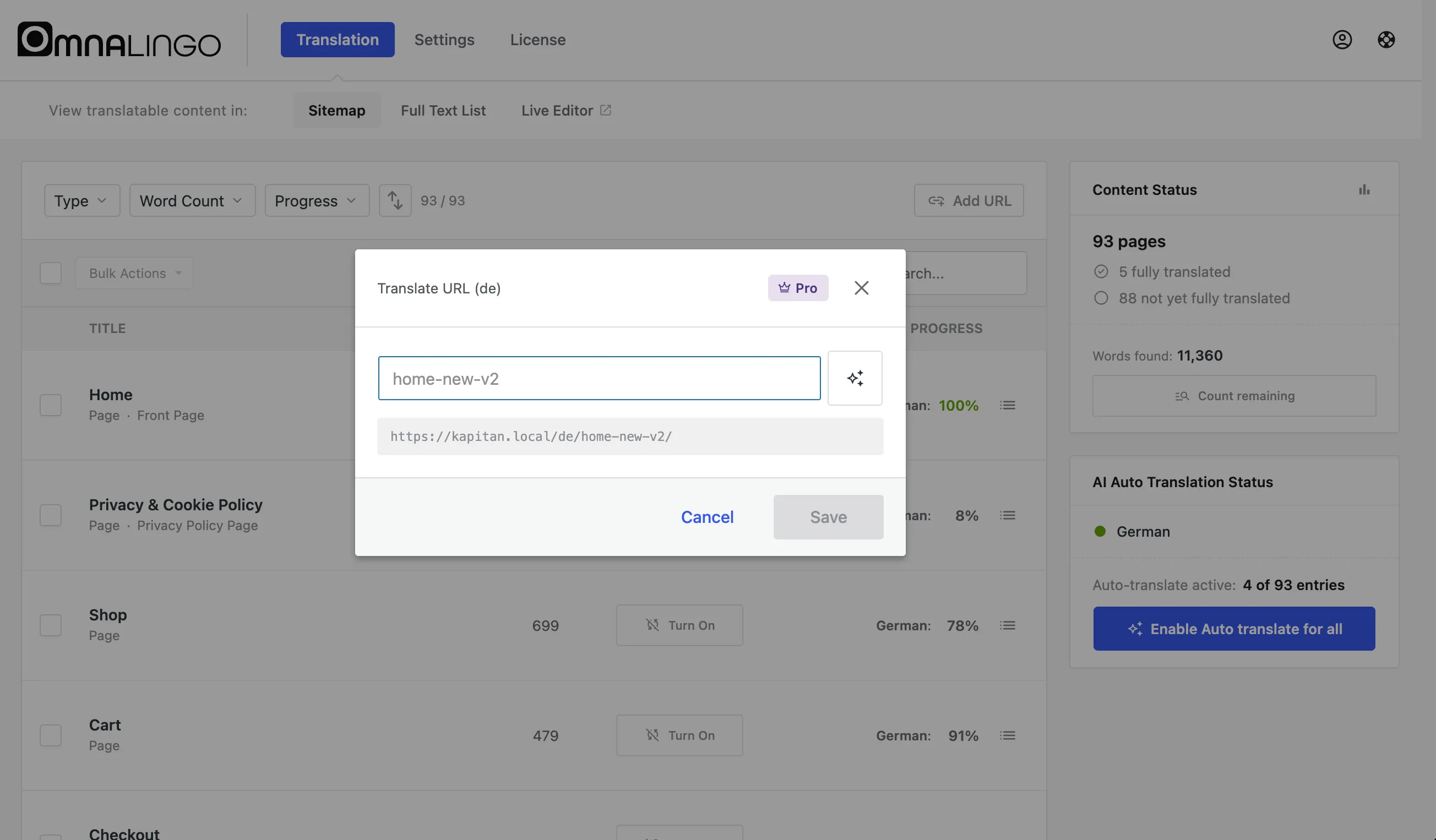
In the dialog, type the translated slug — or click the AI button to generate one. The full URL preview updates as you type.
-
Click Save. The translated URL is active immediately.
Three kinds of slug
Section titled “Three kinds of slug”- Page and post slugs — individual pages (
about→ueber-uns). The most common. - Term slugs — categories, tags, and other taxonomy terms (
shoes→schuhe). - Rewrite bases — the site-wide prefix for a post type or taxonomy (
/product/→/produkt/), which moves every URL under it at once.
Good to know
Section titled “Good to know”- Redirects are automatic. When you set a translated slug, the old URL 301-redirects to the new one, so existing links and bookmarks keep working.
- Slugs are unique per language. Omnalingo warns you if a slug is already taken in that language.
- Special characters are handled — German umlauts become
ae/oe/ue, accents are normalised, and non-Latin scripts are preserved as Unicode. - Pretty permalinks are required (any setting other than Plain under Settings → Permalinks).
If a translated URL returns 404
Section titled “If a translated URL returns 404”- Flush permalinks — Settings → Permalinks → Save Changes (you don’t need to change anything). This fixes it most of the time.
- Purge your caching plugin, if you use one.
- Confirm the plugin is up to date — translated slugs need Omnalingo 0.9.0 or newer.