
Translator Accounts
Translator accounts let you bring in translators or team members without handing over the keys to your whole site. Each gets a login limited to the translation interface — they can review and edit translations, but not change your content, settings, or anything else in WordPress.
Creating a translator
Section titled “Creating a translator”Omnalingo adds a dedicated Translator role to WordPress. Assign it to any user:
-
In WordPress, go to Users → Add User (or edit an existing user).
-
Set their Role to Translator, and save.
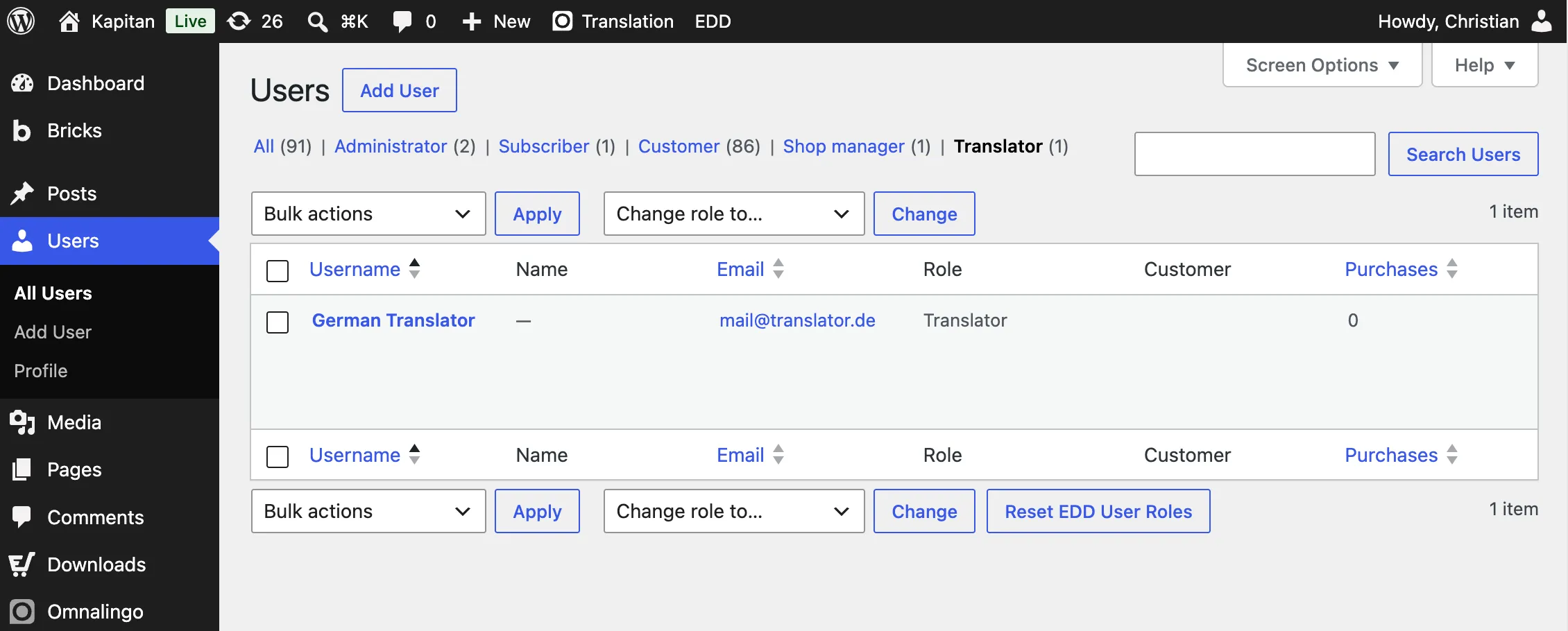
That user can now log in and reach only the Omnalingo translation tools.
What a translator can access
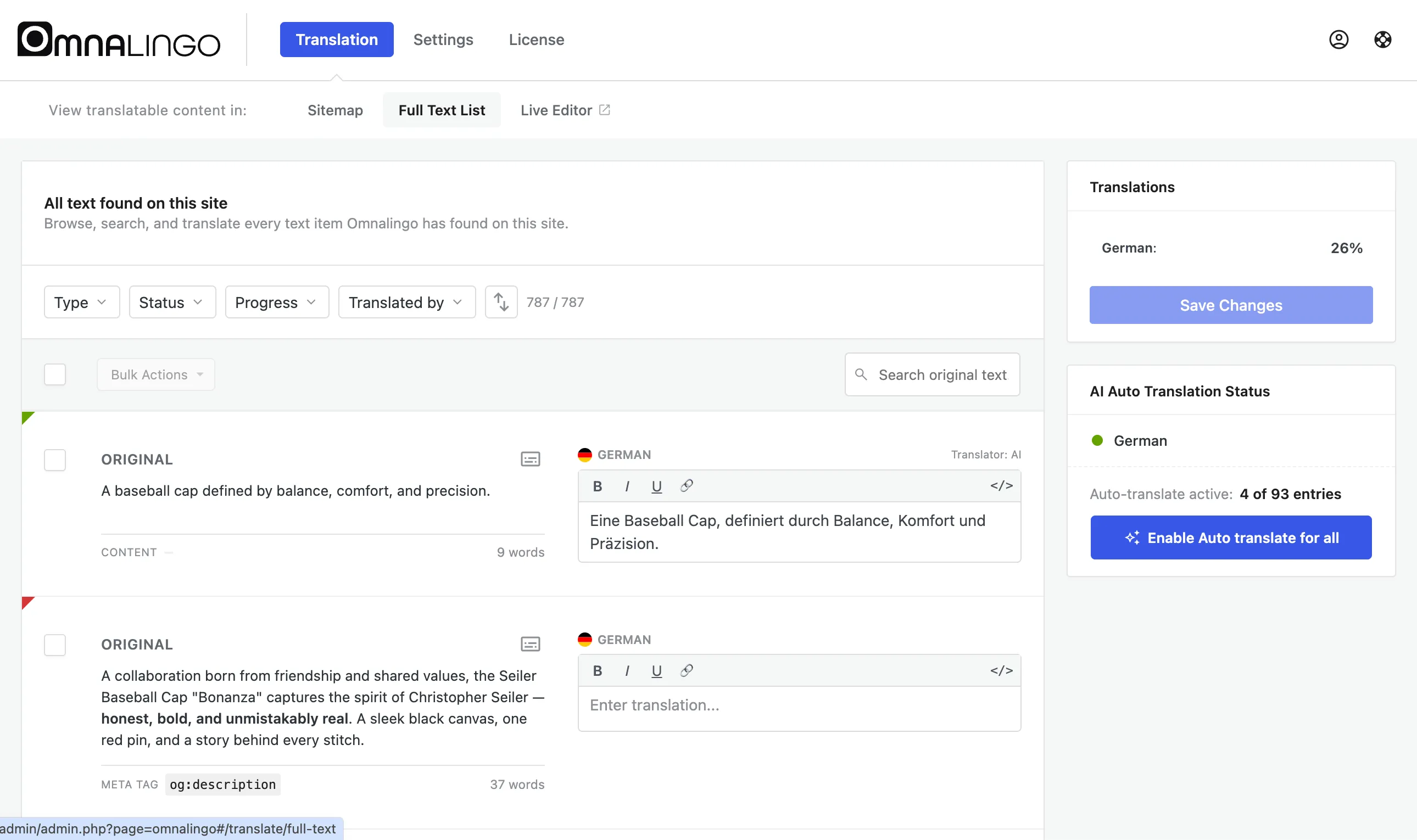
Section titled “What a translator can access”A translator works in the normal translation interface — the Sitemap, Full Text List, and Visual Editor — to translate and refine content. They can’t touch your posts, pages, plugins, theme, or site settings.
Per-language access
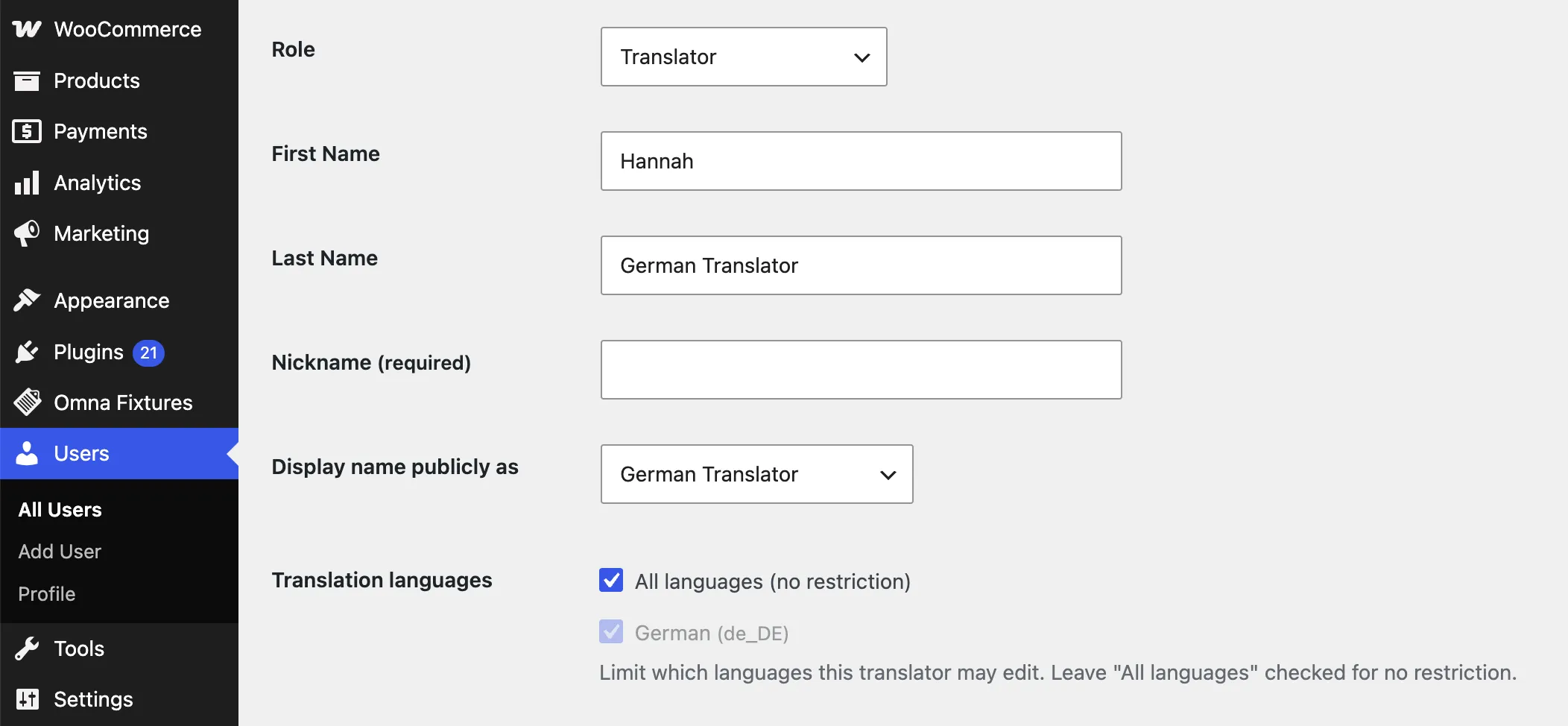
Section titled “Per-language access”On the user’s edit screen, a Translation languages field controls which languages a translator may edit. Leave All languages (no restriction) checked, or tick specific languages to scope them — so a French translator works only on French and a German translator only on German, without either touching the other’s work.
Prefer an agency or CAT tool?
Section titled “Prefer an agency or CAT tool?”If you’d rather hand translation to an outside agency or a CAT tool instead of giving them a login, export your strings as XLIFF and import them back when they’re done — see XLIFF Export & Import.