
Image Translation
Some images have text baked into them, and sometimes you simply want a different visual for a different market. Omnalingo lets you swap images per language: visitors in one language see a localized image, while everyone else sees the original.
How it works
Section titled “How it works”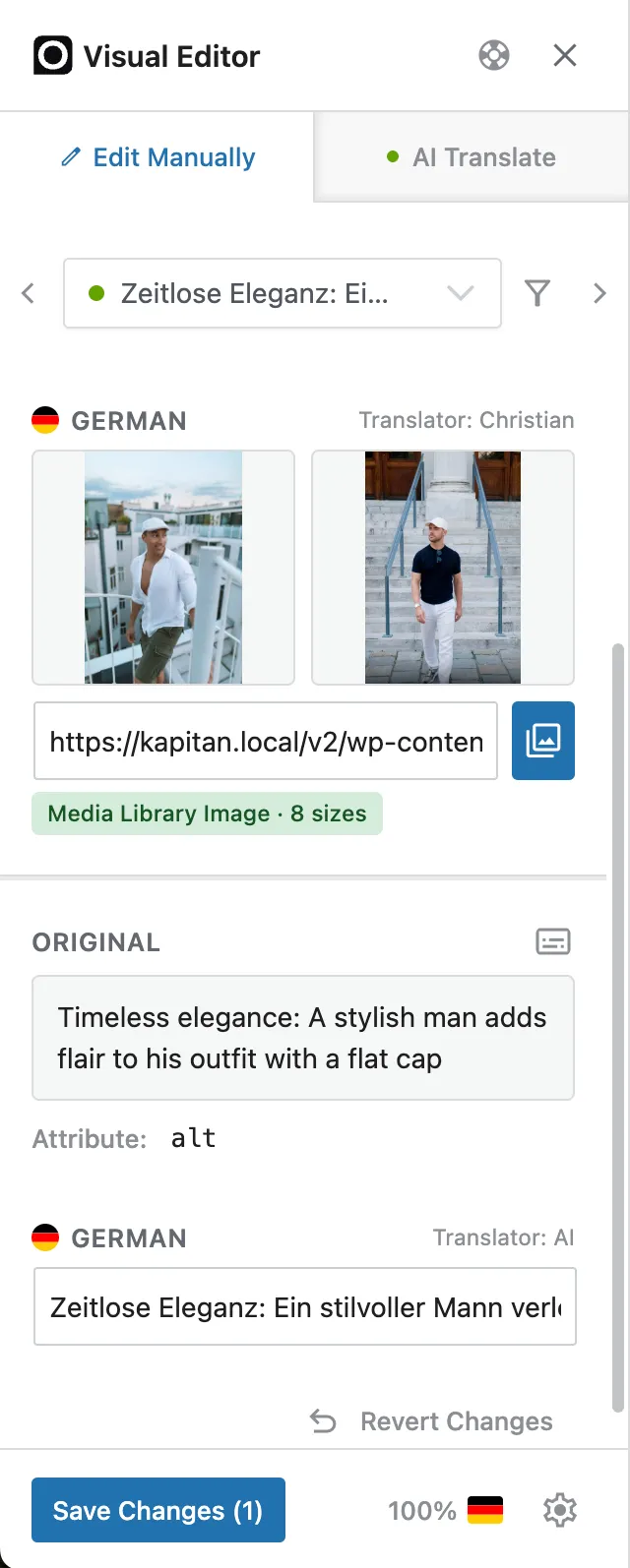
Open a page in the Visual Editor and click an image. The sidebar shows the original beside the replacement you choose for the current language — pick one from your Media Library or paste an image URL. Below it, the image’s alt text has its own translation field.
From then on, that language serves your replacement image (and translated alt text), while other languages keep the original.
When to use it
Section titled “When to use it”- Images with text rendered into the graphic (banners, infographics, buttons-as-images).
- Localized screenshots — show each language’s own UI in product docs or marketing.
- Region-specific visuals — different products, models, or imagery per market.