
Choosing What Gets Translated
Omnalingo builds your Sitemap from the content on your site. A few settings — under Settings → General and Settings → Advanced — control exactly what it finds and reads.
Content types
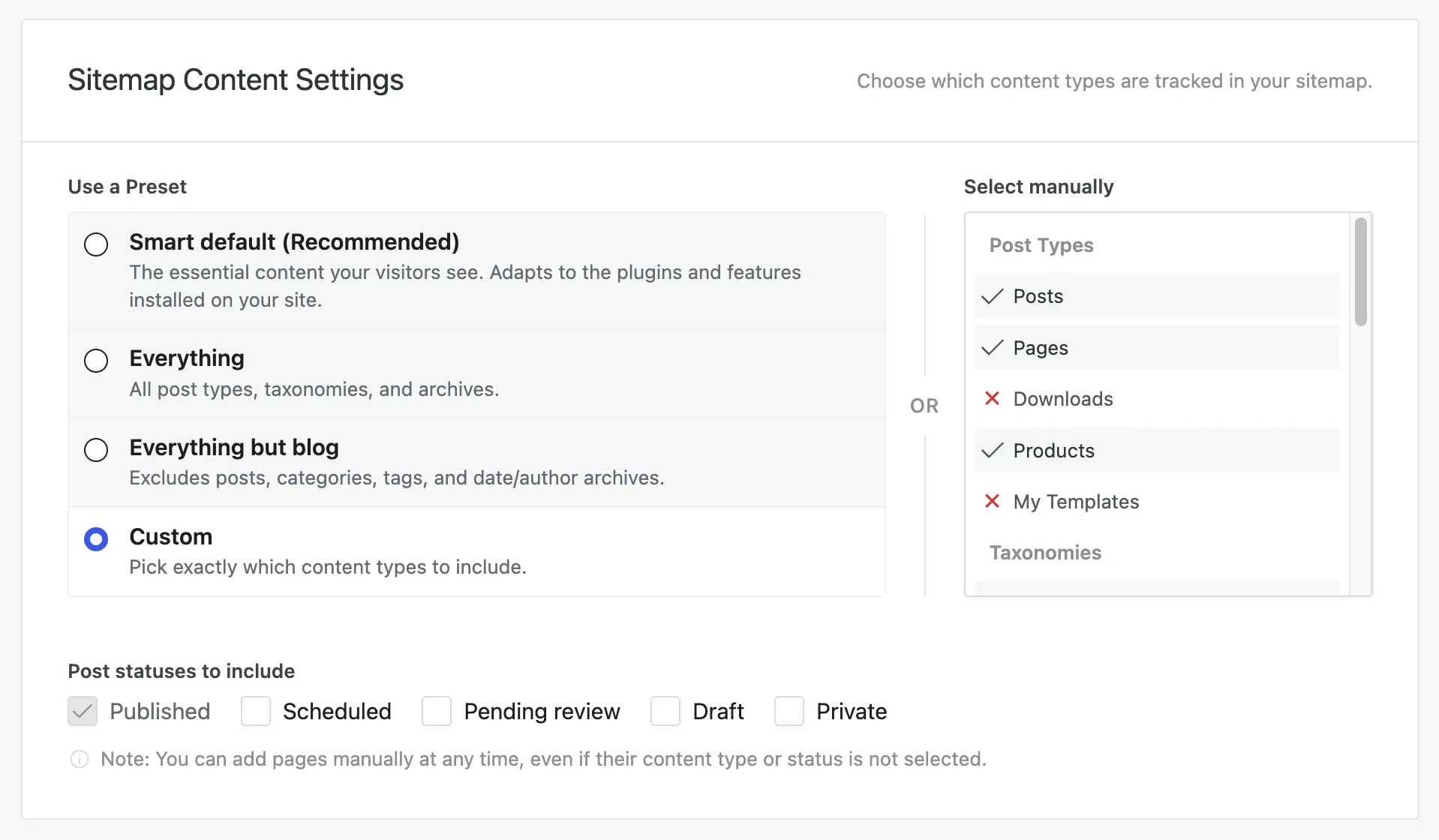
Section titled “Content types”Under Settings → General → Sitemap Content Settings, choose which content is tracked in your Sitemap. Start from a preset, or pick manually:
- Smart default (recommended) — the essential content visitors see; adapts to the plugins and features on your site.
- Everything — all post types, taxonomies, and archives.
- Everything but blog — excludes posts, categories, tags, and date/author archives.
- Custom — pick exactly which post types and taxonomies to include.
You can also set which post statuses are included — Published by default, plus optionally Scheduled, Pending review, Draft, or Private.
Add a page manually
Section titled “Add a page manually”Need a single URL that your content-type settings don’t cover? Two ways:
- On Translation → Sitemap, click Add URL and enter its path.
- Or open the page in the Live Editor — it’s added to the Sitemap automatically.
Either works at any time, even if the page’s content type or status isn’t selected.
Read pages as specific roles
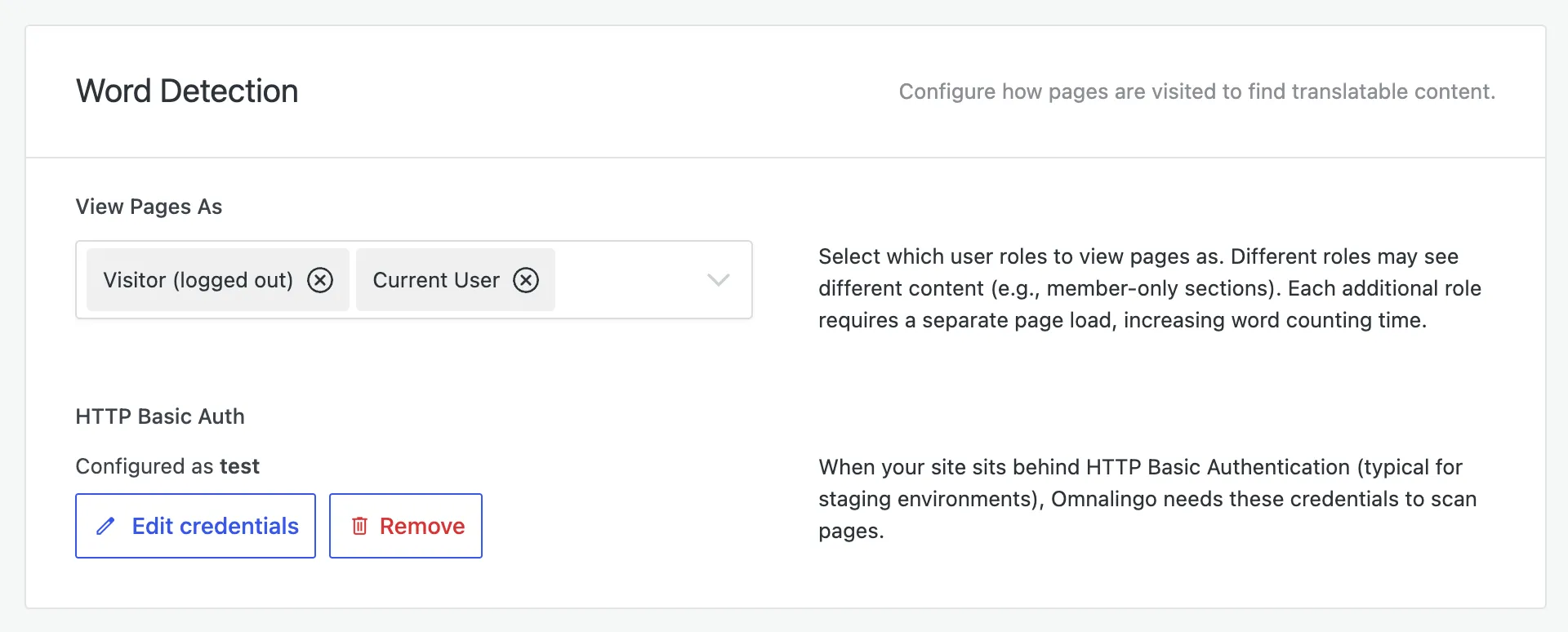
Section titled “Read pages as specific roles”Some content is only visible to logged-in users (members, subscribers, shop managers). Under Settings → Advanced → Word Detection → View Pages As, choose which user roles Omnalingo views your pages as when reading them, so member-only content is captured too. Each role you add means Omnalingo loads every page one extra time when counting words or before a translation, so add only the roles you need.
Password-protected & staging sites
Section titled “Password-protected & staging sites”If your site sits behind HTTP Basic Authentication (common on staging), Omnalingo needs those credentials to read your pages. Store them under Settings → Advanced → HTTP Basic Auth.
Skipping content
Section titled “Skipping content”To keep specific elements out of translation, use CSS-selector exclusions — see Excluding Content.