
Visitor Language Detection
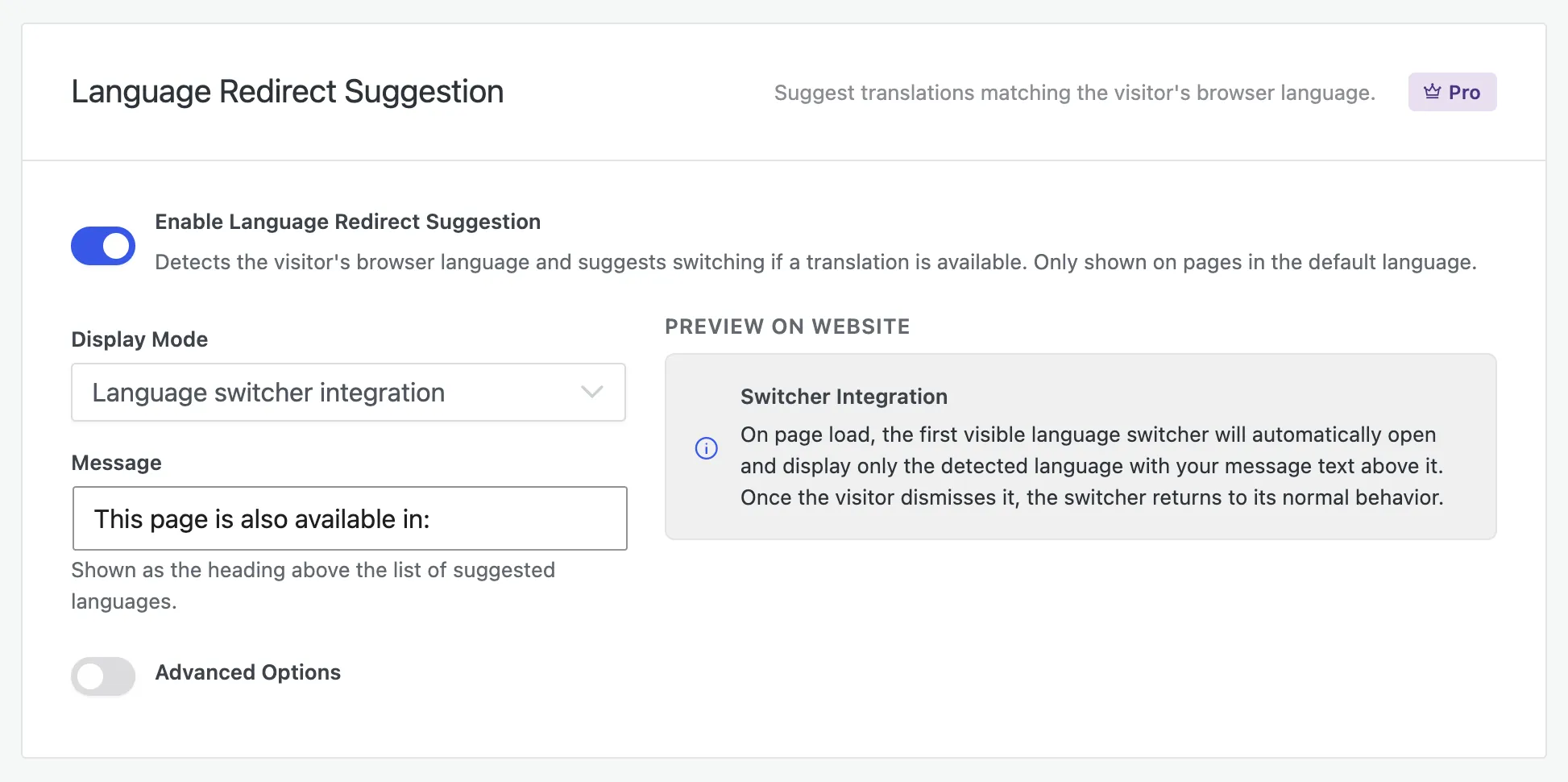
Omnalingo can detect a visitor’s browser language and suggest the matching translation of the page they’re on. It’s a suggestion, not a forced redirect: the visitor stays in control, and their choice is remembered. Turn it on under Omnalingo → Settings → Redirect → Language Redirect Suggestion.
Why suggest, not auto-redirect
Section titled “Why suggest, not auto-redirect”Omnalingo deliberately never moves anyone automatically. Both major search engines advise against language- or location-based auto-redirects:
- Google recommends avoiding automatic redirection based on a visitor’s perceived language, because such redirects can stop both users and crawlers from reaching all versions of your site — Googlebot usually crawls from one location, so an auto-redirect can hide your other languages from indexing. Google’s advice is to signal versions with hreflang and sitemaps and let users choose (Managing Multi-Regional and Multilingual Sites).
- Bing likewise says not to auto-redirect by location, and instead recommends a “friendly pop-up prompt” that detects the visitor’s language and lets them choose whether to switch (Bing Webmaster Guidelines).
That’s exactly what Omnalingo does: it surfaces the right language and lets the visitor decide — protecting both your search rankings and the experience of people who want the original language.
Display modes
Section titled “Display modes”Choose how the suggestion appears:
- Language switcher integration — on page load, the first visible language switcher opens on its own, showing just the detected language with your message above it. Once dismissed, the switcher goes back to normal. The most subtle option (needs a switcher on the page).
- Bar — top of page — a full-width bar at the top of the content.
- Bar — bottom of page — a full-width bar fixed to the bottom of the window.
- Dialog — a centered pop-up over a dimmed background.
Message and placeholders
Section titled “Message and placeholders”Set the Message shown to visitors (it’s the heading above the suggested language). You can personalize it with placeholders that fill in the detected language:
| Placeholder | Shows | Example |
|---|---|---|
{language} | English name | German |
{native} | Native name | Deutsch |
{code} | Short code | DE |
{flag} | A small flag | (flag) |
Advanced options
Section titled “Advanced options”Behind Advanced Options you can adjust the styling (colors, fonts, rounding) to match your site, set how long a dismissal is remembered, and exclude specific pages where the suggestion shouldn’t appear.
How it works
Section titled “How it works”The suggestion only shows on a source-language page when the visitor’s browser prefers a language you have an active translation for — never on already-translated pages. When the visitor accepts or dismisses it, a cookie remembers the choice so it doesn’t keep reappearing.