Making a WordPress site multilingual in 2026 comes down to three practical things: choosing clean web addresses for each language (like adding /de/ or /es/ to your links), adding language tags so Google knows which version to show, and using a translation tool that does not slow your site down. Modern translation plugins like Omnalingo store your translations right inside your WordPress database and can let AI do the translating, without duplicating all your posts or charging you high monthly subscription fees.
For more than fifteen years building WordPress themes and client sites, we have seen internationalization cause more frustration than almost any other feature. A project starts with an innocent request (“can we also have our homepage in German?”), and within a few months the site has duplicated pages everywhere, broken menu links, and confusing email receipts sent to customers.
The good news is that website translation has become much simpler. You do not need to be a developer to get this right. This guide covers how multilingual WordPress works in plain English, what decisions you need to make, and how to avoid the common mistakes that catch people off guard.
Why Translating WordPress Used to Be Such a Headache
To understand why modern translation tools work the way they do, it helps to see the two older methods people have used for years, and why both of them created problems.
| Method | How It Works | Main Drawback |
|---|---|---|
| Duplicating Posts | Creates a brand new copy of every post and page for each language in your WordPress admin. | Clutters your database, slows down search queries, and makes simple edits take twice as long. |
| Cloud JavaScript | Stores your translated words on an external company server and swaps text on the fly. | Ongoing monthly word fees, vendor lock-in, and your site stops showing translations if you cancel. |
| Modern AI Layer (Omnalingo) | Keeps one original post, stores the translations in your own database, and can use contextual AI to translate them. | Requires a quick review of your brand names and key terms before launching. |
The Cloned Post Problem
The traditional way plugins handled languages was simple: they cloned everything. If you had a page called “About Us” and wanted it in French and German, the plugin created three separate pages in your WordPress dashboard. It then linked those three pages together behind the scenes.
This works fine if you only have five pages. But imagine an online shop with 200 products. Translate that into four languages, and you suddenly have 1,000 product pages to manage. If you change a product price, update an image, or edit a bullet point, you have to remember to update all four copies. Before long, small edits get missed and the different language versions fall out of sync.
The Cloud Service Problem
Because cloning posts is painful, cloud translation services became popular. They work by placing a small script on your site. When someone visits from France, the service detects their location, translates the text on their remote server, and displays it in the visitor’s browser.
The setup is quick, but there is a major catch: you do not own your translations. The translated words live on someone else’s servers. If you cancel your monthly plan, your site stops showing its translations. And because those translations are not stored in your WordPress database, things like order confirmation emails or PDF invoices often stay stuck in the original language.
The Modern Approach: Keeping One Post and Using AI
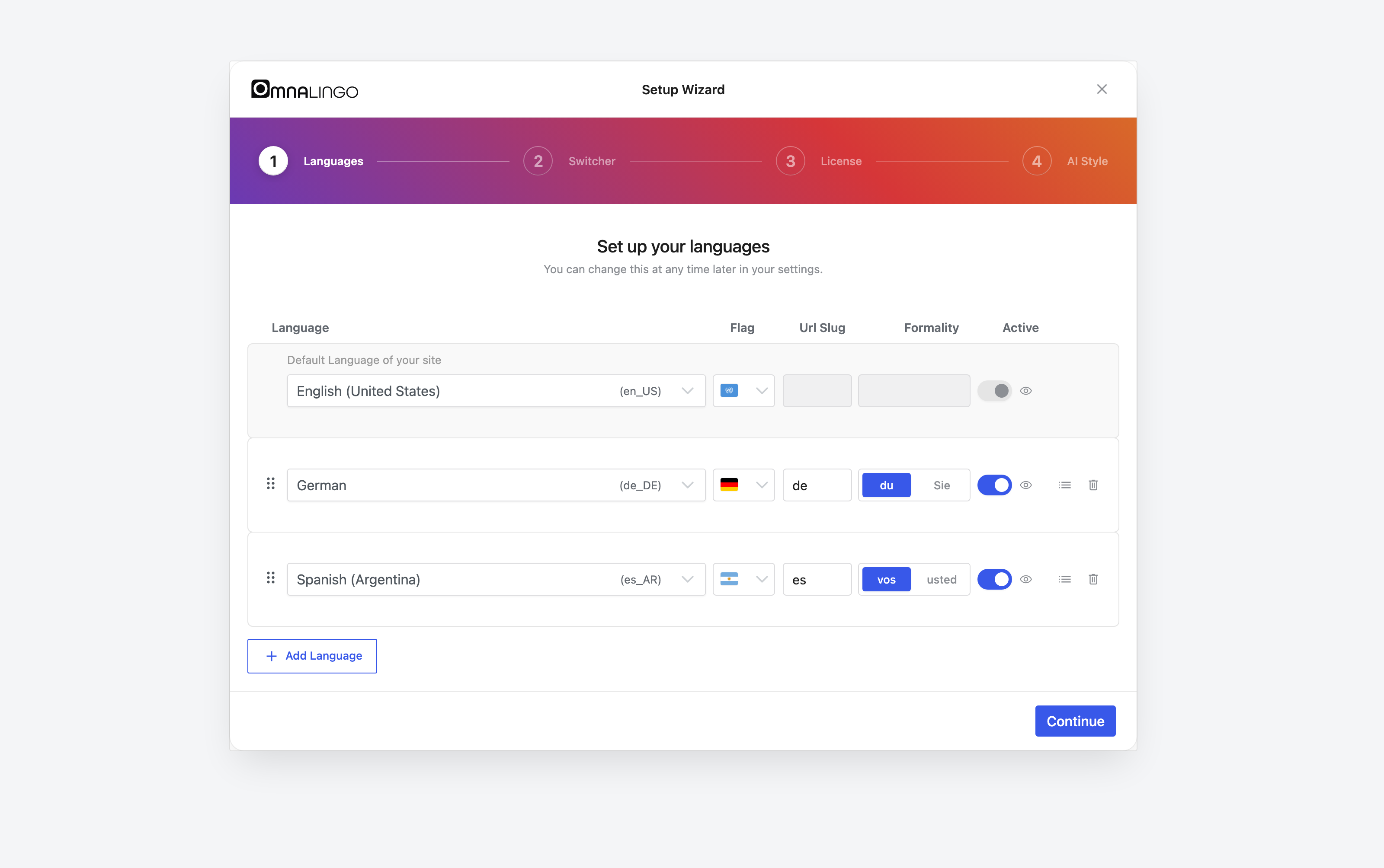
Modern translation plugins like Omnalingo take a much cleaner approach. Your original page remains the single source of truth. When you edit a headline, replace an image, or adjust your layout, you only do it once. The plugin detects the updated text, translates it (by AI or by you), and stores the translated version in clean, fast lookup tables in your database.
Why AI Is Finally Good Enough for Websites
Old automated tools (like the early Google Translate widget from ten years ago) translated word-by-word. They routinely created awkward sentences, broke website buttons, and translated technical terms literally.
Modern AI language models read entire paragraphs in context. That is why Omnalingo uses them for translation: they understand tone, know the difference between formal and casual address, and will not break shortcodes or HTML tags. If you add your company name “CloudSprint” to the glossary, it will not be translated as an athletic run in French or German.
Choosing Your Language Web Addresses (URL Structure)
Every language version of a page needs its own unique address so visitors can bookmark it and search engines like Google can index it. There are three common ways to set this up.
| Address Style | Example | Best For |
|---|---|---|
| Subdirectories | yoursite.com/de/ |
Almost every website. Easiest to maintain and keeps all your Google ranking authority in one place. |
| Subdomains | de.yoursite.com |
Larger businesses that host different languages on separate regional servers. |
| Country Domains | yoursite.de |
Established brands with separate teams, distinct pricing, and local offices in each country. |
Why Subdirectories (yoursite.com/de/) Are the Best Choice
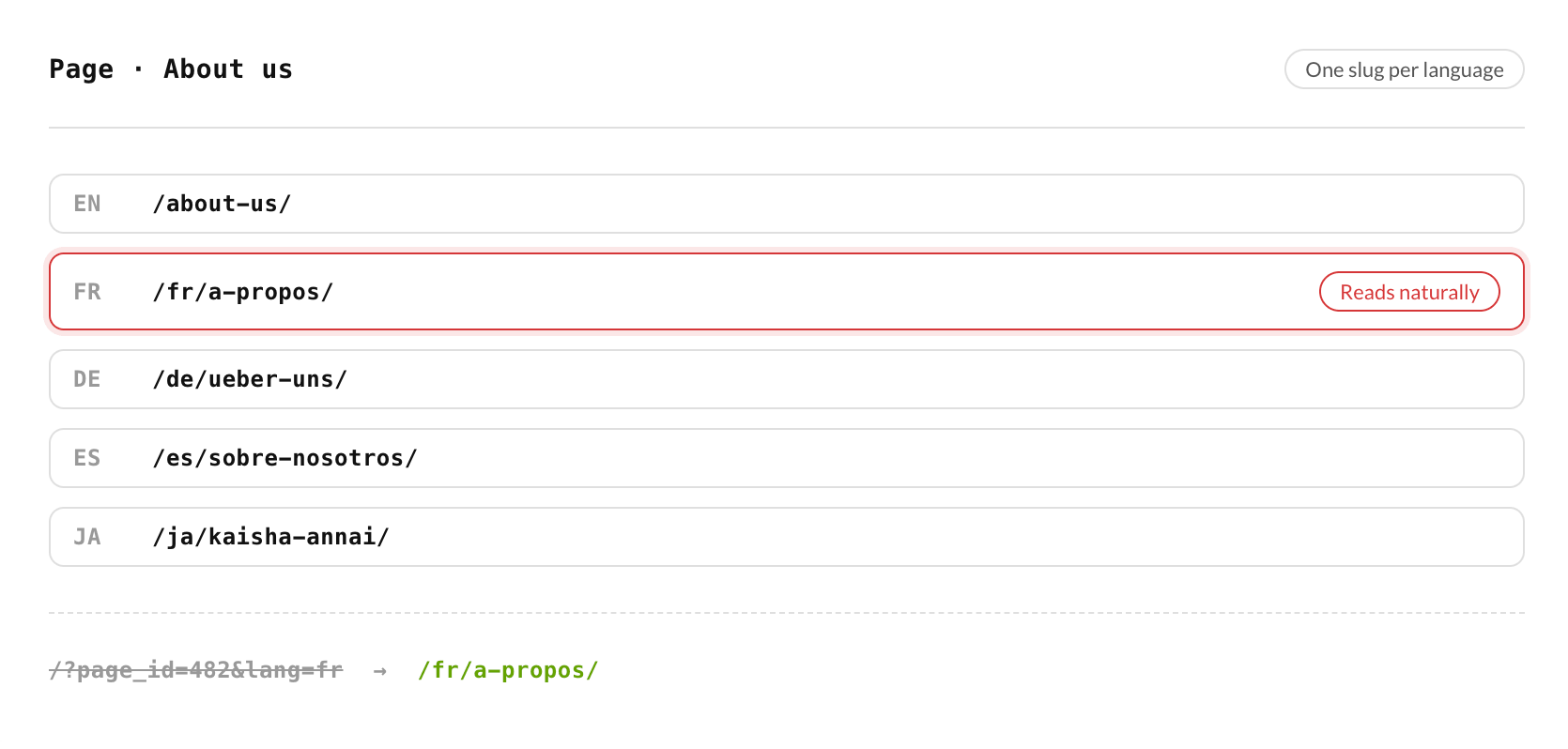
For almost every WordPress owner, subdirectories are the right choice. When you use subdirectories, your new language pages live on the same domain you have already built up, with all its links and history. You also only need one SSL certificate and one domain renewal fee.
One quick warning: never use query parameters like yoursite.com?lang=de. Google lists them as “not recommended” in its multilingual guidelines, because they make it hard to tell language versions apart by URL, and some platforms strip parameters when people share your links.
Getting Found on Google: How Hreflang Works
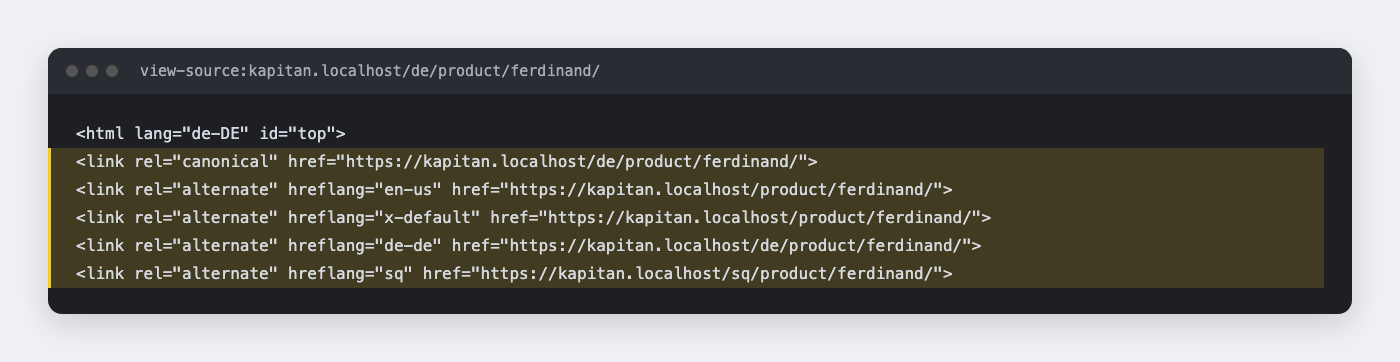
If you want visitors in Germany searching on Google to see your German pages, and visitors in Spain to see your Spanish pages, you need a special code snippet called hreflang.
You do not need to write this code by hand. A good translation plugin adds these tags into your page header automatically. But it is helpful to know what they are doing so you can check that they are working.
<!-- Example of language tags in your page header -->
<link rel="alternate" hreflang="en" href="https://example.com/pricing/" />
<link rel="alternate" hreflang="de" href="https://example.com/de/preise/" />
<link rel="alternate" hreflang="es" href="https://example.com/es/precios/" />
<link rel="alternate" hreflang="x-default" href="https://example.com/pricing/" />
The Three Rules That Keep Google Happy
- Links must point both ways: If your English page points to the German version, your German page must point right back to the English version. If one side forgets the link, Google ignores both tags.
- Every page must include itself: The English page must have a tag pointing to the English page, and the German page must have a tag pointing to the German page.
- Keep your canonical tags honest: A canonical tag tells search engines which page is the main version. On your German page, the canonical tag must point to the German URL. If it accidentally points back to the English URL, you are telling Google that the German page is a duplicate and should not be shown in search results.
The 7 Sneaky Things That Break on Multilingual Sites
Translating the main paragraph text of a blog post is straightforward. The tricky part is all the little pieces of your site that sit outside the main page editor. Here are the seven common issues we see people run into:
1. Order Emails and Contact Forms
If someone fills out a contact form or buys a product on your Spanish site, they expect the confirmation email to arrive in Spanish. But in WordPress, automated emails often run in the background using the site administrator’s default language. Make sure to test your contact forms and checkout receipts in every language before launching.
2. Navigation Menus Getting Out of Sync
When you add a new page or rearrange your navigation menu, traditional plugins require you to rebuild that menu by hand across every language. If you forget, your international menus end up missing links or pointing to deleted pages. Look for a solution that synchronizes menu structure automatically.
3. Text Expansion (The German Button Problem)
English is a very compact language. When you translate English text into German, French, or Italian, the words often become 20% to 35% longer. A button that says “Sign Up Now” fits neatly on one line, but the German equivalent can easily overflow the button boundary or wrap awkwardly on mobile screens. Always check your buttons, menus, and card grids on mobile devices.
4. Automatic Browser Redirects That Confuse Google
Many plugins, Omnalingo included, can redirect visitors based on their browser language. This sounds convenient, but Google advises against automatic redirects between language versions: its crawler usually visits from US addresses without a language preference, and a forced redirect can keep it from reaching your German, French, or Spanish pages. A gentle banner that suggests the visitor’s language and lets them choose is the safer default.
5. Missing Button and Search Strings
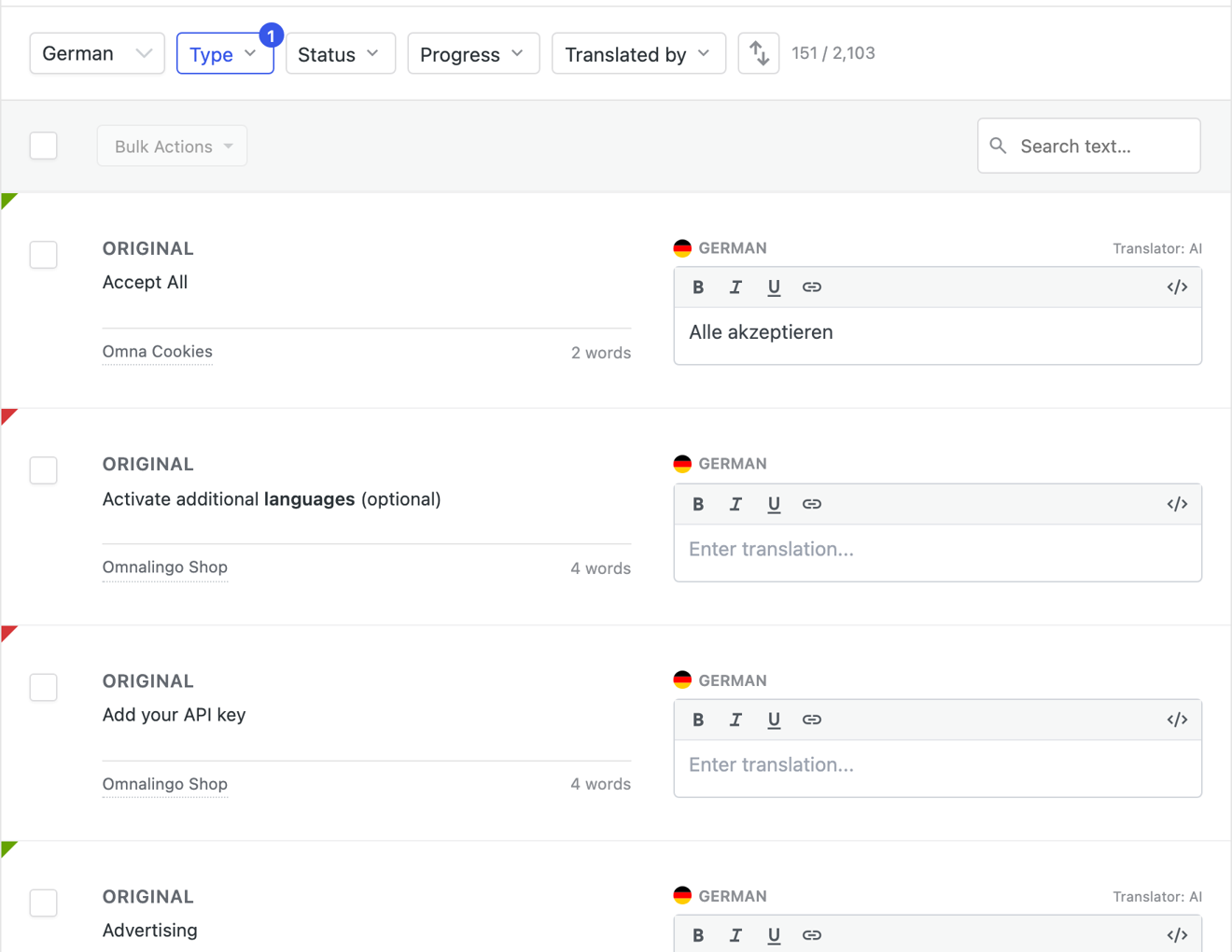
Your theme and plugins contain small bits of text that are not written inside your page content: things like “Read more”, “Search”, “Shopping cart”, or “Next page”. In WordPress, these are called gettext strings. A good translation setup must catch these interface strings as well as your page content.
6. Cookie Banners and Privacy Notices
Privacy laws like GDPR require consent to be informed, and that is hard to argue when a German visitor on a German page sees a cookie notice in English. Treat your cookie banner, legal notices, and contact forms as part of the translation, and check them in every language.
7. Caching and Page Speed
If your host uses page caching (like WP Rocket, LiteSpeed, or server caching), the server saves a snapshot of your page to serve it quickly. If the cache is not set up to distinguish between language subdirectories, a German visitor might accidentally trigger a cached German page that gets served to the next visitor looking for English. Keeping your languages in clear subdirectories (like /de/) makes this much easier, because every language has its own URL to cache.
Your Step-by-Step Launch Checklist
When you are ready to take your WordPress site multilingual, follow this checklist in order:
- 1. Pick your language list: Start with one or two key languages where you already have customers or traffic rather than trying to launch ten at once.
- 2. Set up subdirectories: Use clean paths like
/de/and/es/(Omnalingo does this automatically). - 3. Build a small word list (glossary): Note down your brand name, product names, and any special terms that should never be translated.
- 4. Translate your main navigation first: Get your header menu, footer links, contact page, and privacy policy translated before moving on to marketing articles.
- 5. Test every form and button: Submit your contact forms, test search queries, and run a test order if you use WooCommerce.
- 6. Check mobile layouts: Review buttons and column grids on a smartphone to make sure longer translated phrases do not break your layout.
- 7. Check your sitemap in Google Search Console: Ensure Google discovers your new language subdirectories and starts indexing your pages.
When an All-in-One Plugin Is Not the Right Choice
We believe in honest advice: there are certain situations where a standard WordPress translation plugin is not the right tool for the job.
Completely Separate Companies in Different Countries
If your business has a UK company trading in pounds and a separate German subsidiary with its own bank account, distinct product catalog, and local staff, you should not try to run both from a single WordPress dashboard. In that situation, running separate WordPress installs or a WordPress Multisite network gives each team the independence they need.
Certified Legal or Medical Documents
If you are publishing pharmaceutical dosage guidelines, clinical trial notes, or binding legal contracts, automated AI translation is not suitable on its own. For high-liability content, you should work with a certified translation agency that provides insured human review and formal compliance stamps.
Frequently Asked Questions
Does using AI translation hurt my Google rankings?
Not if the translation is good. Google says it rewards helpful content however it was produced, but its spam policies also name mass-produced pages created “through automated transformations like… translating” without adding value for users. Accurate, reviewed translations that serve real visitors are fine; thousands of unchecked machine pages are not.
Will adding more languages slow down my WordPress admin?
If you use an old plugin that duplicates every post, yes, your database will grow quickly and routine administrative tasks can slow down. But if you use a modern plugin like Omnalingo that keeps a single post and manages translations cleanly, the impact on your admin speed is minimal.
How Fast Do Translated Pages Appear in Google?
Google often starts crawling new language pages within days once they are linked and listed in your sitemap. Ranking well in a new language takes longer, usually weeks to months, depending on how competitive your topic is in that market.
Should I automatically switch visitors based on their location?
No. Automatic redirects can lock out search engine crawlers and annoy visitors who are traveling or prefer browsing in English. A polite, non-intrusive banner at the top of the screen asking if they would like to switch languages is much safer and friendlier.
Looking for a modern way to translate your WordPress site without post duplication? Explore how Omnalingo handles multilingual sites with context-aware AI, or check our guides for your favorite page builder.